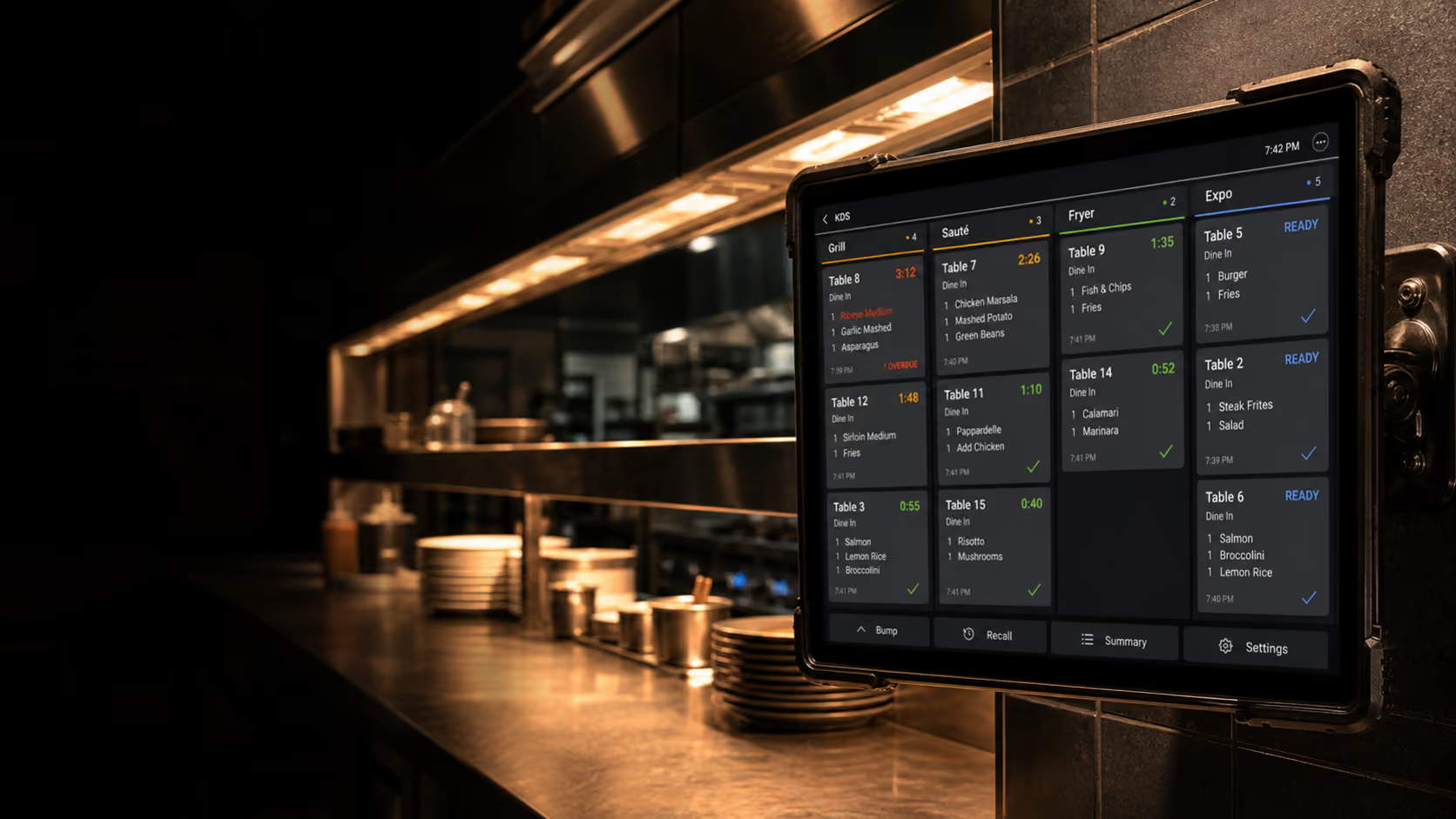
Route tickets by station
A useful KDS sends each item to the right prep station, keeps modifiers visible, and makes order timing clear enough for staff to act without extra calls. Grill, fryer, bar, cold section, dessert, and expo may each need a different view of the same order.
Routing should be flexible enough for real operations. Breakfast, lunch, dinner, delivery, events, and short-staffed services may require different station rules.
Routing checks
- Items route by category, station, order type, and service period.
- Modifiers, allergies, notes, and course timing are visible.
- Staff can bump, recall, hold, and re-fire orders with clear permissions.
Give the expo line a single view
Expo needs to see what is fired, what is late, what is ready, and what belongs together. That view matters more during pressure than another printed ticket. A strong expo screen reduces shouting, missing sides, and incomplete tables.
The KDS should help the team coordinate timing across stations, not only replace paper. Colour states, timers, table grouping, and readiness signals should be readable from the actual working distance.
Expo visibility
- Orders are grouped by table, channel, and promised time.
- Late or at-risk items stand out without hiding normal tickets.
- Ready signals are clear for runners, pickup shelves, or service staff.
Measure what slows service
Prep time, bump timing, channel volume, and station load help managers improve service after the rush rather than relying only on memory. A KDS should show patterns: which items slow the line, which channel spikes hardest, and when tickets start ageing.
Use the data carefully. The goal is better service design, not blaming one station for every delay. Menu complexity, staffing, prep levels, packaging, and order batching all affect the numbers.
Useful KDS reports
- Average prep time by station, item, channel, and service period.
- Late ticket trends and peak load windows.
- Recall, void, and remake patterns that show workflow issues.
Keep backup procedures simple
Screens are powerful, but kitchens still need a fallback plan. Decide what happens if a display loses power, the network drops, or one station is temporarily closed. Staff should know whether to use printed tickets, reroute stations, or switch to a manager device.
A practical KDS rollout includes testing those scenarios before a busy service. The best kitchen systems make normal service faster and abnormal service survivable.
See how this works in Nexara POS.
Map the workflow to your store, restaurant, or multi-location operation with a product specialist.
Explore KDS