Collect the source data
Products, menus, modifiers, categories, prices, customer lists, and location files are gathered before setup starts.
Limited-time free service
Move core business data into Nexara with a guided setup process for products, menus, modifiers, pricing, customers, and launch checks.
How it works
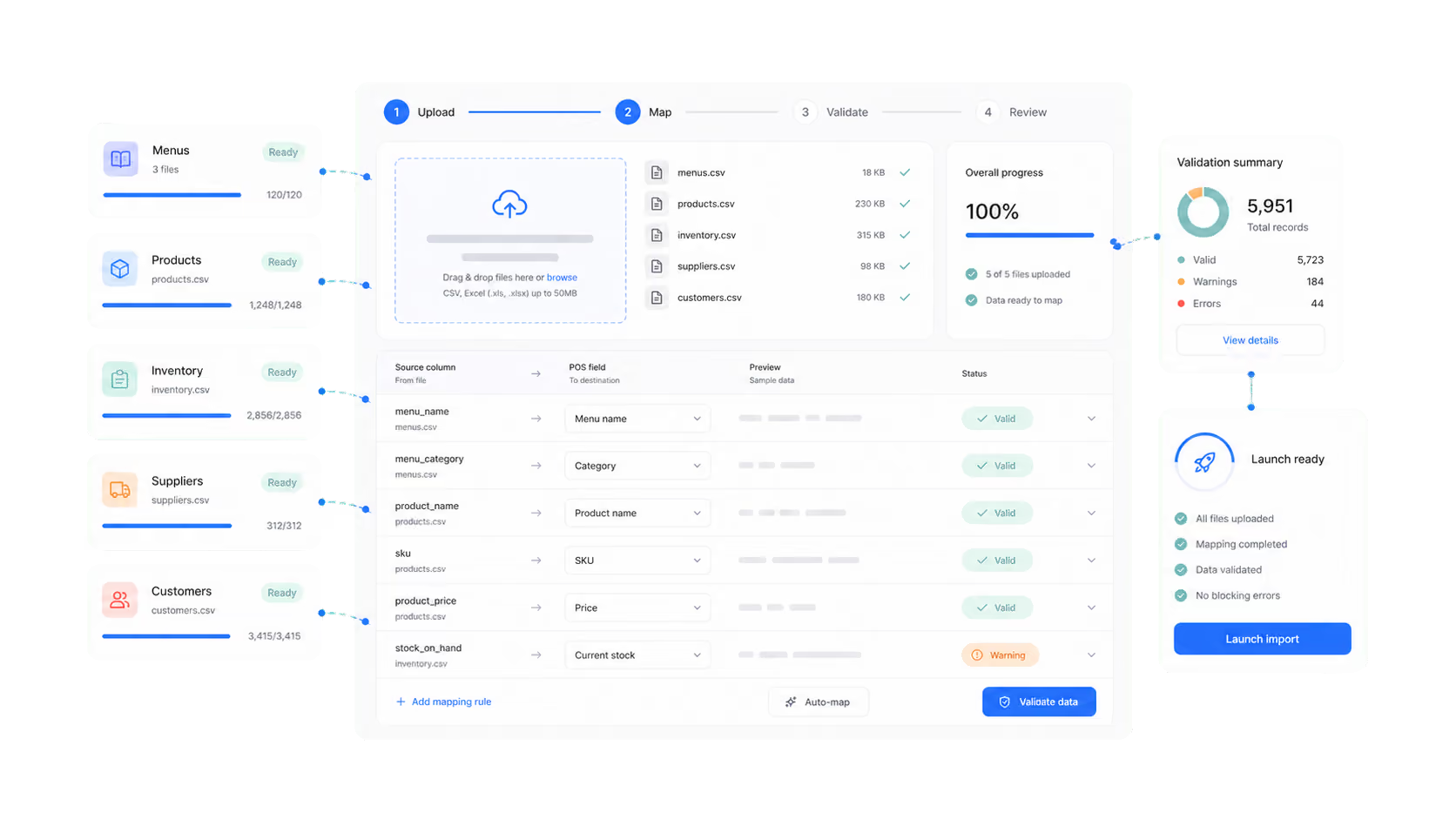
Import setup is designed for merchants who already have product, menu, or customer data and need it shaped into a usable POS structure before launch.
Products, menus, modifiers, categories, prices, customer lists, and location files are gathered before setup starts.
We align columns, options, taxes, and required POS fields so the imported structure is easier for your team to check.
Sample records, pricing, item groups, and live workflows are reviewed before the store starts selling through Nexara.
Typical scope
Final scope depends on file quality, store complexity, integrations, and onboarding timeline. We confirm what can be imported before work starts.
Best fit
This service helps retail and hospitality teams avoid rebuilding every item by hand, while still giving enough review time for accurate launch data.
SKUs, product groups, prices, stock-related fields, customer lists, and multi-location structure.
Menus, categories, modifiers, option groups, availability, taxes, and kitchen-facing setup checks.
Cleaner launch data for teams that need fewer manual edits after the first live trading day.
Next step
We will review what you have, confirm what can be imported, and map the right setup path for your launch timeline.